
Boxplot and Statistical Diagrams
Overview
The Boxplot and Statistical Diagrams module in my8data provides you with powerful visualization tools to graphically prepare and analyze your measurement data. Visual representations make distributions, outliers, and relationships immediately apparent and complement the numerical analysis results from other modules.
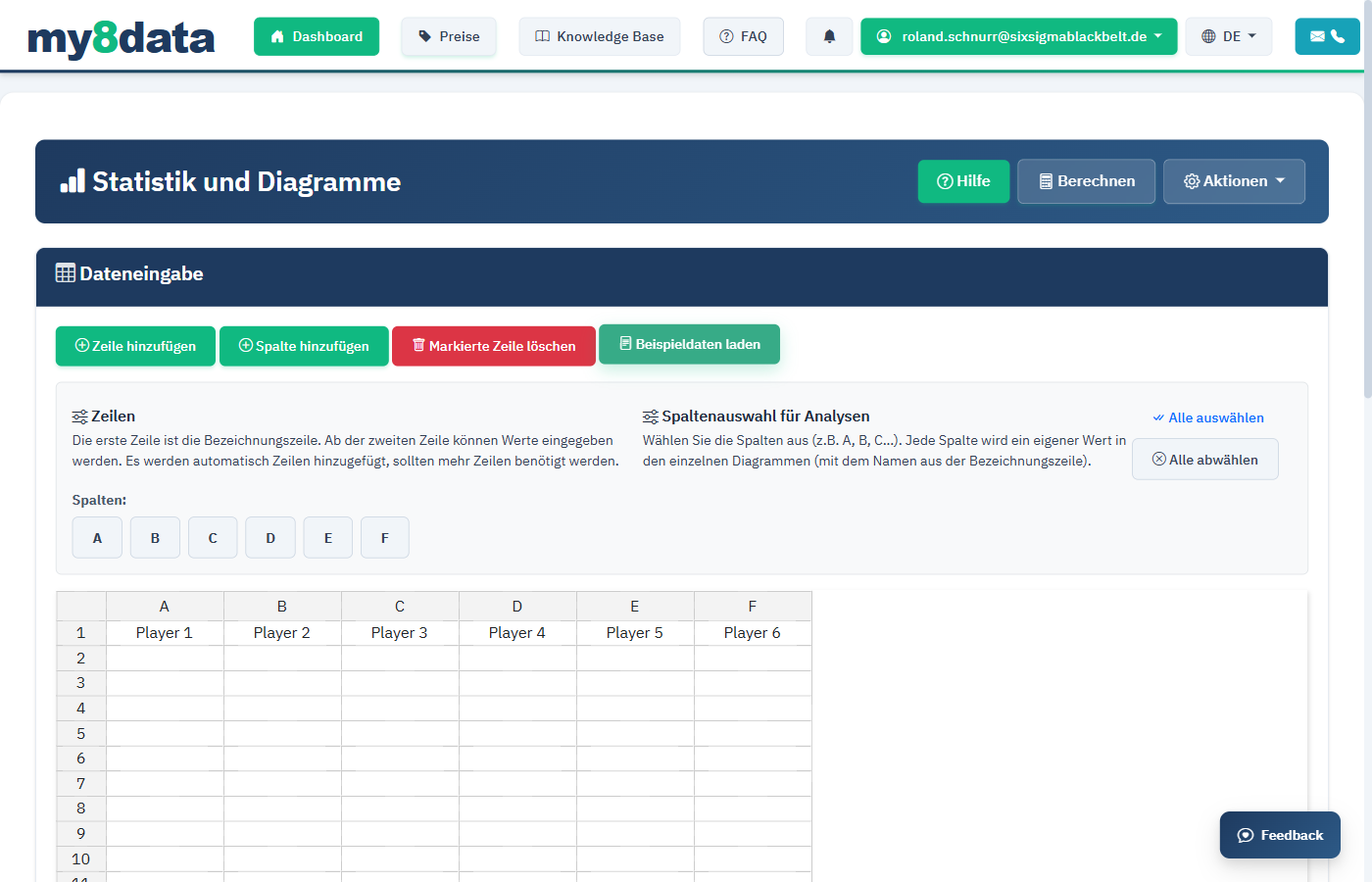
When do you use this module?
| Question | Suitable Diagram Type |
|---|---|
| How are the measured values distributed? Are there outliers? | Boxplot |
| What does the frequency distribution look like? | Histogram |
| Do the values develop over the measurement series? | Line chart |
| Do the data follow a normal distribution? | Q-Q-Plot |
| How do multiple groups compare? | Boxplot (multiple groups side by side) |
Advantages of graphical analysis
- Quick overview: Grasp distribution characteristics at a glance
- Outlier detection: Unusual values become immediately visible
- Comparability: Multiple datasets or groups can be directly compared
- Communication: Diagrams make it easier to convey statistical findings to non-statisticians
Info: Graphical analysis does not replace numerical evaluation, but rather complements it. Always use diagrams in combination with calculated metrics (e.g., mean, standard deviation, Cm/Cmk, Cp/Cpk).
Diagram Types
Boxplot (Box-Whisker-Plot)
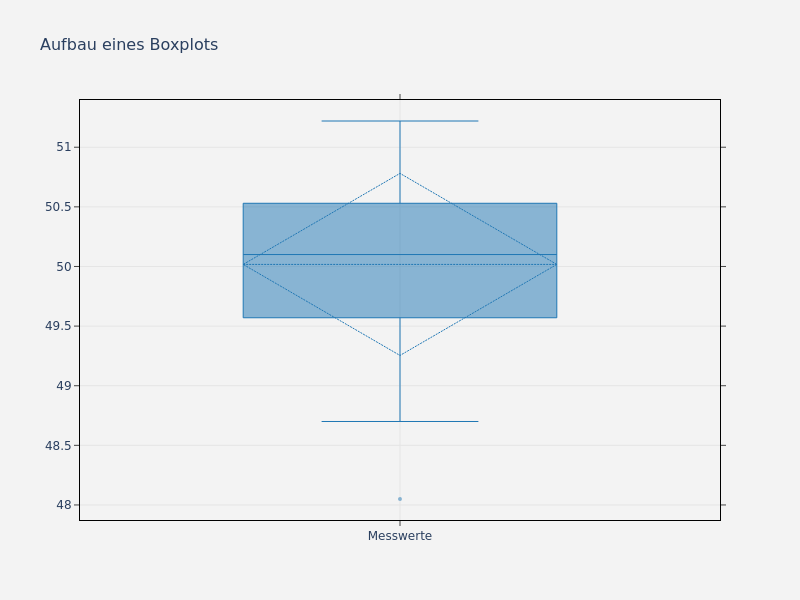
The boxplot is one of the most important tools in exploratory data analysis. It presents the distribution of a dataset compactly and shows central tendency, dispersion, and potential outliers.
Structure of a Boxplot
| Element | Description | Statistical Value |
|---|---|---|
| Center line (Median) | Horizontal line in the box | 50th percentile (Q2); divides the data into two equal halves |
| Lower box edge | Lower edge of the box | 25th percentile (Q1); 25% of data lies below |
| Upper box edge | Upper edge of the box | 75th percentile (Q3); 75% of data lies below |
| Box (IQR) | Area between Q1 and Q3 | Interquartile range (IQR = Q3 - Q1); contains the middle 50% of data |
| Lower whisker | Line below the box | Smallest value within Q1 - 1.5 * IQR |
| Upper whisker | Line above the box | Largest value within Q3 + 1.5 * IQR |
| Outliers | Individual points beyond the whiskers | Values outside Q1 - 1.5 * IQR or Q3 + 1.5 * IQR |
Interpretation
Tip: Pay attention to the following points when reviewing the boxplot:
- Symmetry: If the median is centered in the box, this indicates a symmetric distribution
- Box width: A narrow box shows low dispersion, a wide box shows high dispersion
- Whisker length: Asymmetric whiskers indicate a skewed distribution
- Outliers: Individual points beyond the whiskers require special attention
Typical distribution patterns in the boxplot
| Pattern | Description | Possible Cause |
|---|---|---|
| Symmetric boxplot | Median centered, whiskers of equal length | Normally distributed data; stable process |
| Right-skewed boxplot | Median near Q1, upper whisker longer | Natural lower limit (e.g., surface roughness values) |
| Left-skewed boxplot | Median near Q3, lower whisker longer | Natural upper limit, saturation effects |
| Many outliers (above) | Numerous points above the upper whisker | Occasional disturbances, wear |
| Very narrow box | Q1 and Q3 close together | Very low dispersion; high process capability |
Comparative Boxplots
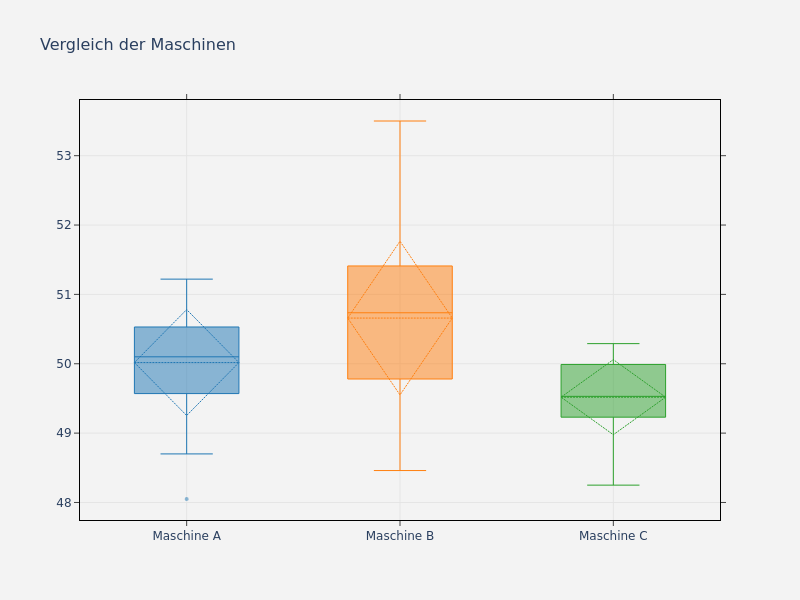
A particularly valuable application is the comparison of multiple groups side by side, for example:
- Comparison of different machines
- Comparison of different shifts or operators
- Comparison of different material batches
- Before-after comparison following a process improvement
Histogram
The histogram shows the frequency distribution of the measured values. The measured values are divided into classes (bins), and the height of each bar corresponds to the number of measured values in that class.
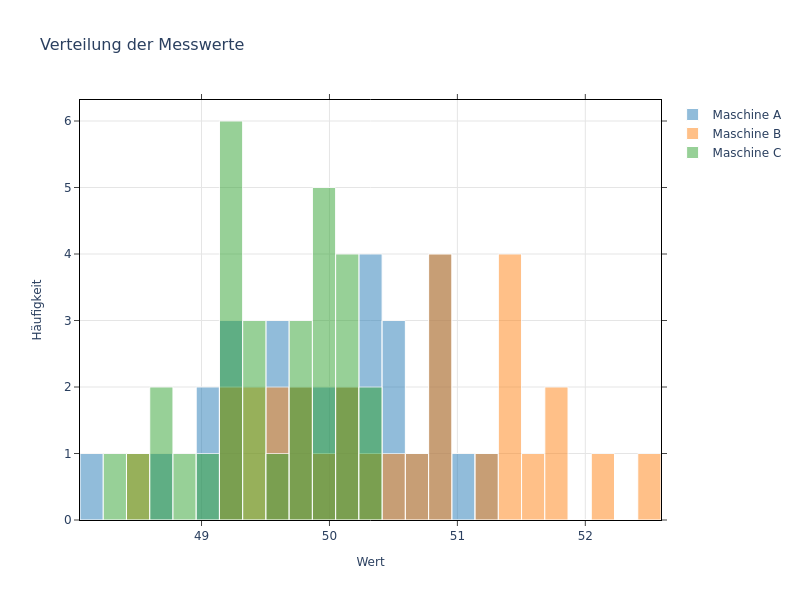
Elements of the Histogram
| Element | Description |
|---|---|
| Bars | Height corresponds to the frequency of values in the respective class |
| Class width | Width of each bar; calculated automatically or can be set manually |
| Normal distribution curve | Optionally displayed theoretical distribution |
| Specification limits | Vertical lines at USL and LSL (if defined) |
Tip: The number of classes significantly influences the appearance of the histogram. Too few classes hide details, too many classes create a busy image. my8data automatically selects the number of classes according to the Sturges or Freedman-Diaconis rule, but you can also adjust the number manually.
Interpretation of typical histogram shapes
| Shape | Description | Possible Cause |
|---|---|---|
| Bell-shaped | Symmetric, one peak | Normally distributed data; stable process |
| Bimodal | Two peaks | Mixture of two populations (e.g., two tools) |
| Truncated | Sharp drop-off on one side | 100% inspection removes parts beyond a limit |
| Comb-shaped | Alternating high and low bars | Rounding issues in measurement |
| Rectangular (uniform) | All bars roughly equal height | Uniform distribution; no clear process mean |
Line Chart
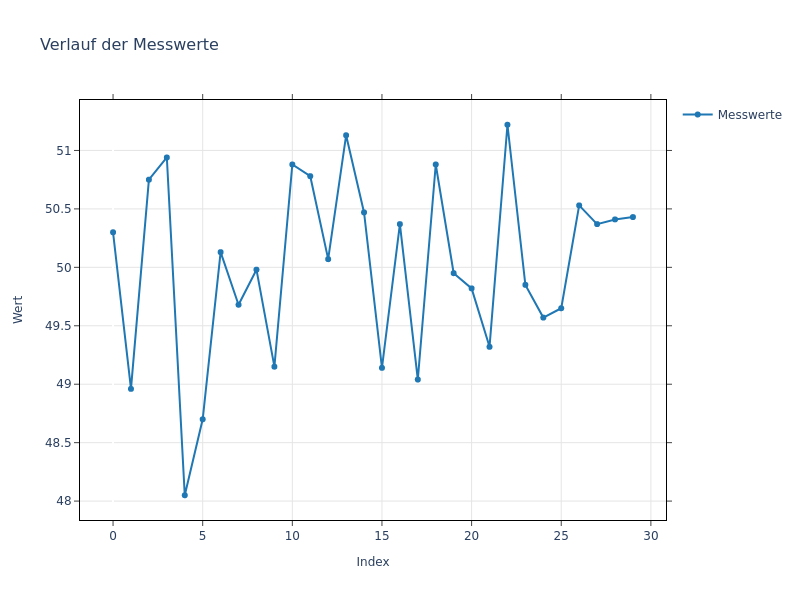
The line chart presents the measured values in their order of acquisition. Each point corresponds to a measurement; the connecting line makes temporal developments visible.
Application Examples
- Identify trends (e.g., tool wear over time)
- Detect jumps or level changes following interventions or batch changes
- Identify outliers within the measurement series
Warning: The line chart only shows temporal sequence, not statistical control limits. For formal stability assessment, use SPC control charts.
Q-Q-Plot (Normal Distribution Test)
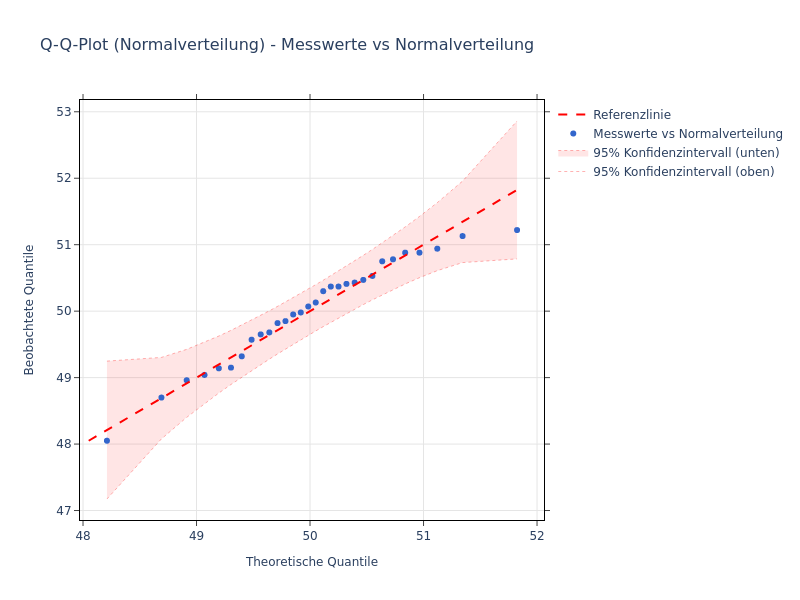
In the Q-Q-Plot (Quantile-Quantile diagram), observed measured values are plotted against the theoretical quantiles of the normal distribution. If the points lie near the reference line (within the confidence band), this supports a normal distribution.
Interpretation
| Pattern | Description | Meaning |
|---|---|---|
| Points on the reference line | Data follow normal distribution | Distribution assumption satisfied |
| S-shaped deviation | Tails heavier/lighter than normal | Deviating kurtosis |
| Bow-shaped deviation | Distribution is skewed | Skewness (e.g., natural limit) |
| Points outside the band at the ends | Outliers or heavy tails | Check distribution assumption |
Tip: The Q-Q-Plot complements the histogram: While the histogram shows the shape, the Q-Q-Plot makes deviations from the normal distribution — especially in tail areas — clearly visible.
Export Diagrams
All diagrams created in my8data can be exported in various formats:
- PNG: For presentations and reports
- PDF: For print-ready documents
- SVG: For scalable vector graphics
Tip: Use PNG export for quick reports and SVG export when you want to further process the graphics in your own reporting tool.