
Statistical Process Control (SPC)
Overview
Statistical Process Control (SPC) is a method for continuous monitoring and control of manufacturing processes using statistical techniques. The objective is to identify deviations from the stable process state early and take corrective action before defective parts are produced.
SPC is based on the fundamental idea that every process is subject to natural variation. As long as only random causes (Common Causes) are responsible for the variation, the process is considered statistically controlled. When special causes (Special Causes) occur, the variation behavior changes and the control chart shows anomalies.
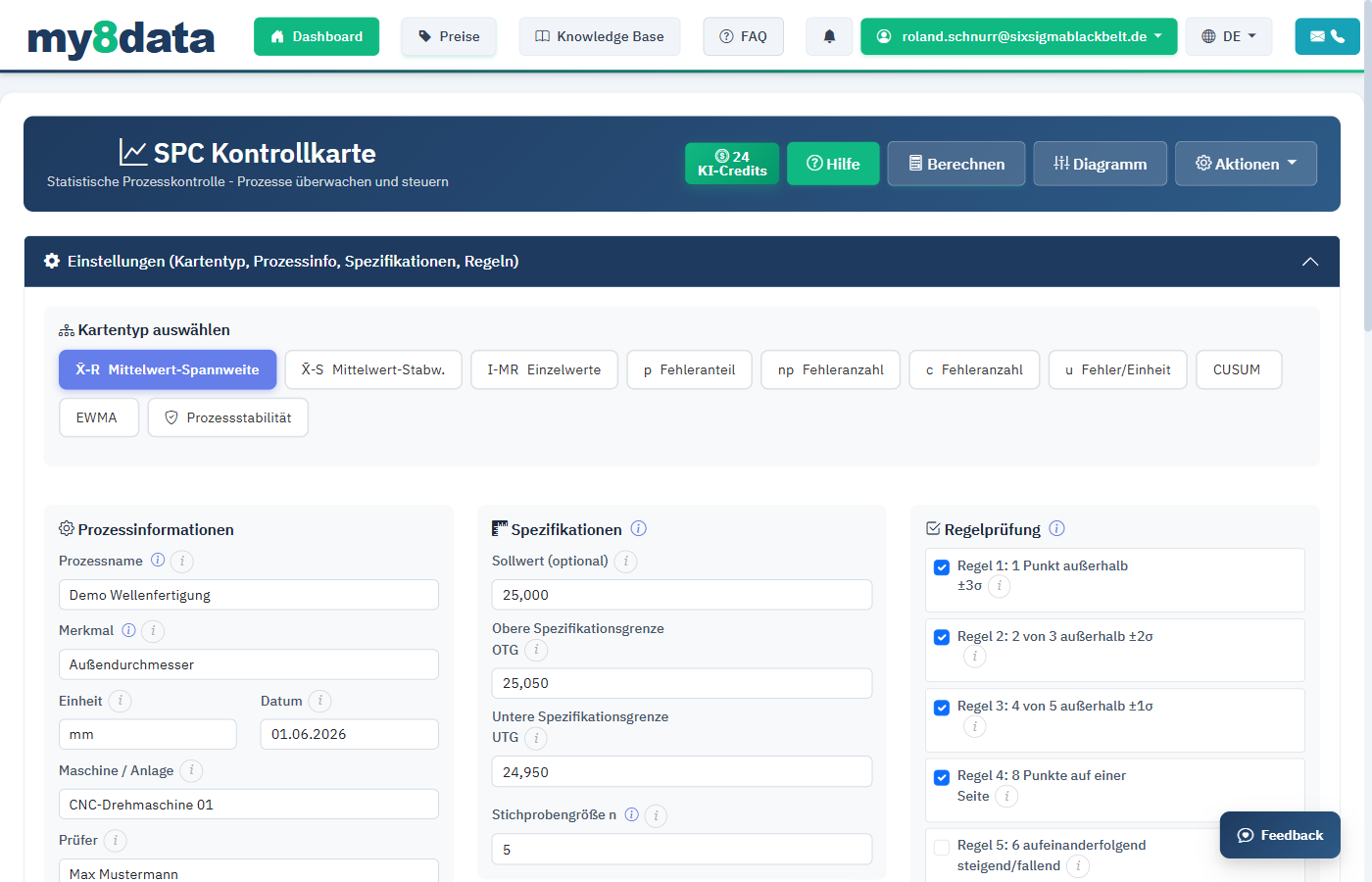
Fundamental Principle of SPC
| Cause Type | Description | Examples | Action |
|---|---|---|---|
| Random Causes (Common Causes) | Inherent, unavoidable variation | Material variation, vibrations, temperature differences | System improvement (long-term) |
| Special Causes (Special Causes) | Unusual, identifiable disturbances | Tool breakage, operator error, defective measurement device | Immediate correction |
Benefits of SPC
- Prevention rather than reaction: Problems are identified before scrap occurs
- Data-based decisions: Interventions are based on statistical signals, not intuition
- Continuous improvement: Trends and patterns become visible
- Documentation: Complete record of process behavior
- Standards compliance: Fulfillment of requirements from IATF 16949, VDA, ISO 9001, and others
Info: SPC is not a one-time analysis, but a continuous process. Control charts are updated in real-time or at regular intervals during production.
Input and Configuration
Setting Up Subgroups
The formation of subgroups is a central aspect of SPC. Each subgroup consists of a small number of parts that were produced under as identical conditions as possible.
Configuration Parameters
| Parameter | Description | Typical Value |
|---|---|---|
| Subgroup Size (n) | Number of measurements per subgroup | 3, 5, or 10 |
| Sampling Interval | Time interval between subgroups | Hourly, every 2 hours, per shift |
| Number of Subgroups (k) | Total number of subgroups | >= 20 (at least 25 recommended) |
| USL / LSL | Specification Limits | According to drawing / customer specification |
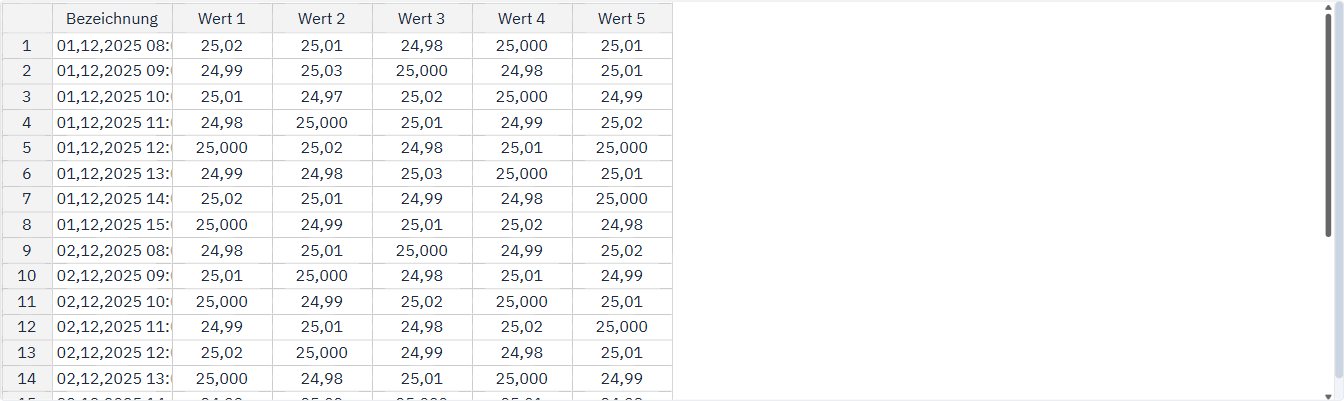
Tip: Choose the subgroup size so that the variation within a subgroup reflects only random variation. Typically, 5 consecutive parts are used. For automated processes with low variation, 3 parts may also be sufficient.
Data Input
Enter measurement values subgroup by subgroup in my8data. You have the following options:
- Direct input: Enter the measurement values line by line (per subgroup)
- Import: Upload a CSV or Excel file with pre-structured data
- Clipboard: Paste copied data from other programs
Calculate Control Limits
my8data automatically calculates the control limits from the entered data. The calculation is based on the first 20-25 subgroups (startup phase). These limits can then be fixed for ongoing monitoring.
| Limit Type | Calculation x̄-Chart | Calculation R-Chart |
|---|---|---|
| UCL | x̿ + A₂ * R̄ | D₄ * R̄ |
| CL | x̿ | R̄ |
| LCL | x̿ - A₂ * R̄ | D₃ * R̄ |
The factors A₂, D₃, and D₄ are tabulated constants that depend on the subgroup size.
Warning: Calculate control limits only from data of a stable process. First remove all points attributable to special causes and recalculate the limits. Otherwise, the limits will be set too wide and special causes will not be detected.
Control Charts
Types of Control Charts
my8data provides various control chart types that are selected depending on the data type and subgroup size:
Control Charts for Continuous Characteristics (Variable Data)
| Control Chart Pair | Subgroup Size | Description |
|---|---|---|
| x̄ / R-Chart | n = 2 to 10 | Average and range chart; standard chart for small subgroups |
| x̄ / s-Chart | n > 10 | Average and standard deviation chart; for larger subgroups |
| x / mR-Chart (Individual Chart) | n = 1 | Individual value and moving range chart; when only one measurement per time point is available |
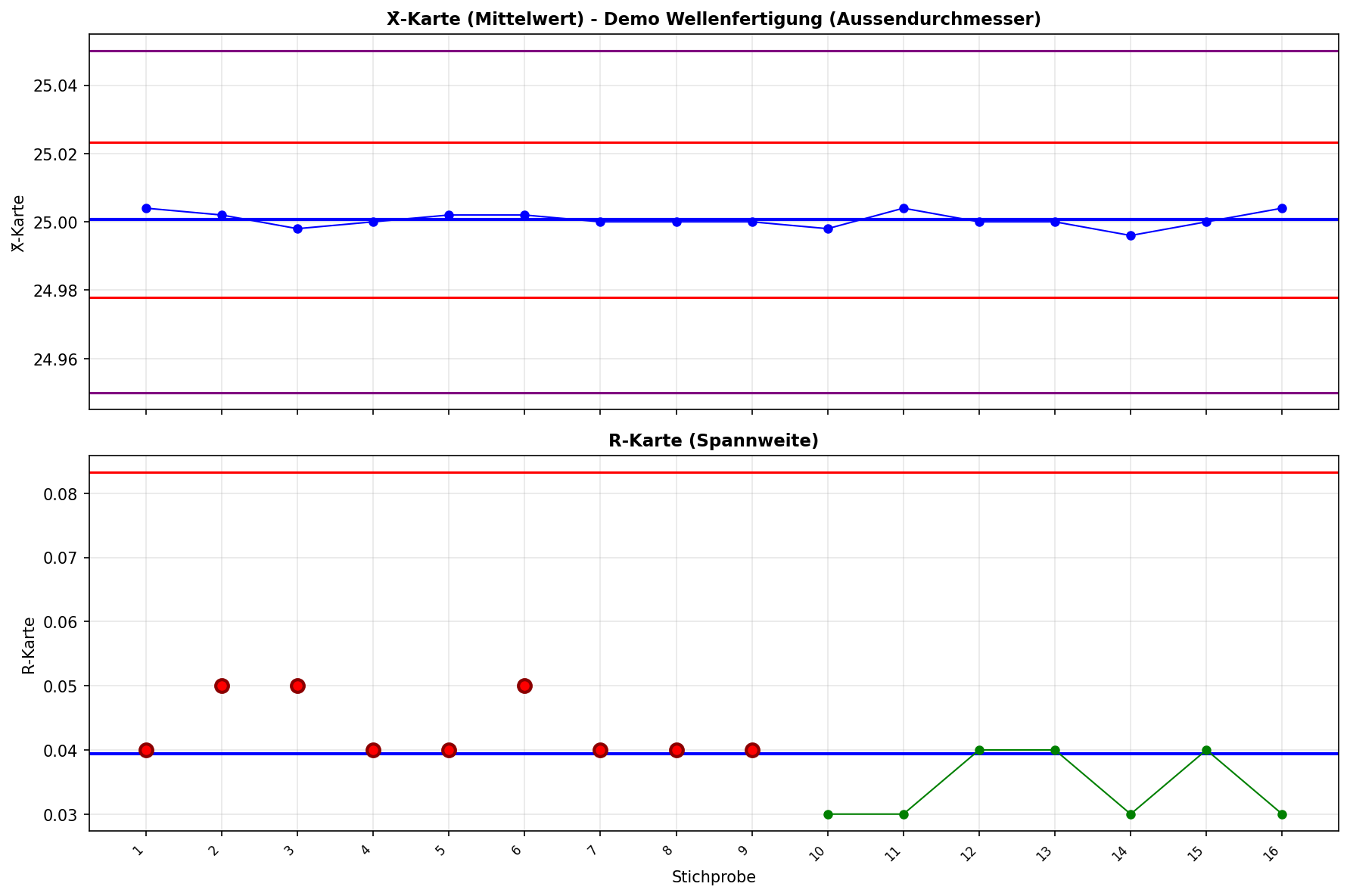
Structure of a Control Chart
Each control chart consists of two parts:
Location Chart (upper chart): Monitors the position of the process (average)
- Shows x̄ (subgroup average) or individual values
- Detects shifts and trends in process level
Variation Chart (lower chart): Monitors the variation of the process
- Shows R (range) or s (standard deviation)
- Detects changes in process variability
Zones of the Control Chart
The area between UCL and LCL is divided into three zones that are relevant for applying violation rules:
| Zone | Range | Description |
|---|---|---|
| Zone A | Between ±2σ and ±3σ | Outer zone; points here are rare (approximately 4.3% probability) |
| Zone B | Between ±1σ and ±2σ | Middle zone (approximately 27.2% probability) |
| Zone C | Between CL and ±1σ | Inner zone; most points should be here (approximately 68.3% probability) |
Info: In a stable, normally distributed process, approximately 99.73% of all points lie within the 3-sigma limits (UCL/LCL). A point outside these limits is therefore likely attributable to a special cause.
Interpretation of the Control Chart
| Signal | Description | Typical Cause |
|---|---|---|
| Point outside UCL/LCL | Single extreme value | Tool breakage, measurement error, material defect |
| Upward/Downward Trend | Steadily increasing or decreasing values | Tool wear, temperature increase |
| Jump (Shift) | Sudden level change | Tool change, new material batch |
| Cycles | Periodically recurring patterns | Shift change, environmental fluctuations |
| Stratification | Points unnormally close to center line | Mixing of data from different sources |
Violation Rules (Alarm Rules)
Default: AIAG-VDA and ISO 7870-2
The AIAG-VDA SPC manual (section 10.2.2) and ISO 7870-2 assess stability with a few criteria. my8data applies them by default:
| Rule | Description | Detects |
|---|---|---|
| Rule 1 | 1 point outside the control limits | Outlier, special cause |
| Rule 9 | 7 consecutive points on the same side of the centre line | Run, shift |
| Rule 10 | 7 consecutive increases or 7 consecutive decreases (8 points); equal neighbouring values do not break the trend | Trend, e.g. wear |
With these rules my8data matches the pattern tests of the ISO/TR 11462-3 reference data sets. The zone rules 2 and 3 report instability where the ISO/TR sees a stable process.
Western Electric Rules
The Western Electric Rules (also WECO Rules) are a set of decision rules based on the zone division of the control chart. They detect not only individual extreme values but also systematic patterns that indicate a process change.
The following rules can be selected in addition:
| Rule | Description | Meaning |
|---|---|---|
| Rule 1 | 1 point outside the 3σ limits (Zone A) | Single outlier; likely special cause |
| Rule 2 | 2 of 3 consecutive points in Zone A or beyond (same side) | Warning signal for beginning shift |
| Rule 3 | 4 of 5 consecutive points in Zone B or beyond (same side) | Clear signal for process shift |
| Rule 4 | 8 consecutive points on the same side of the center line | Run; process level has shifted |
Nelson Rules
The Nelson Rules extend the Western Electric Rules with additional patterns. my8data supports the following Nelson Rules:
| Rule | Description | Detects |
|---|---|---|
| Nelson 1 | 1 point outside the 3σ limits | Outlier |
| Nelson 2 | 9 consecutive points on one side of the CL | Shift |
| Nelson 3 | 6 consecutive points steadily increasing or decreasing | Trend |
| Nelson 4 | 14 consecutive points alternating up/down | Systematic variation |
| Nelson 5 | 2 of 3 points in Zone A (same side) | Increased variation |
| Nelson 6 | 4 of 5 points beyond Zone C (same side) | Increased variation |
| Nelson 7 | 15 consecutive points in Zone C (both sides) | Reduced variation / Stratification |
| Nelson 8 | 8 consecutive points outside Zone C (both sides) | Mixing / Bimodality |
Tip: Not all rules need to be active simultaneously. The more rules that are active, the more sensitive the control chart reacts, but the higher the rate of false alarms. The default (Rules 1, 9 and 10) follows the AIAG-VDA SPC manual.
Configuration of Violation Rules
In my8data you can individually determine which rules should be active:
- Enable/disable individual rules via checkbox
- Adjustment of rule parameters (e.g., number of consecutive points)
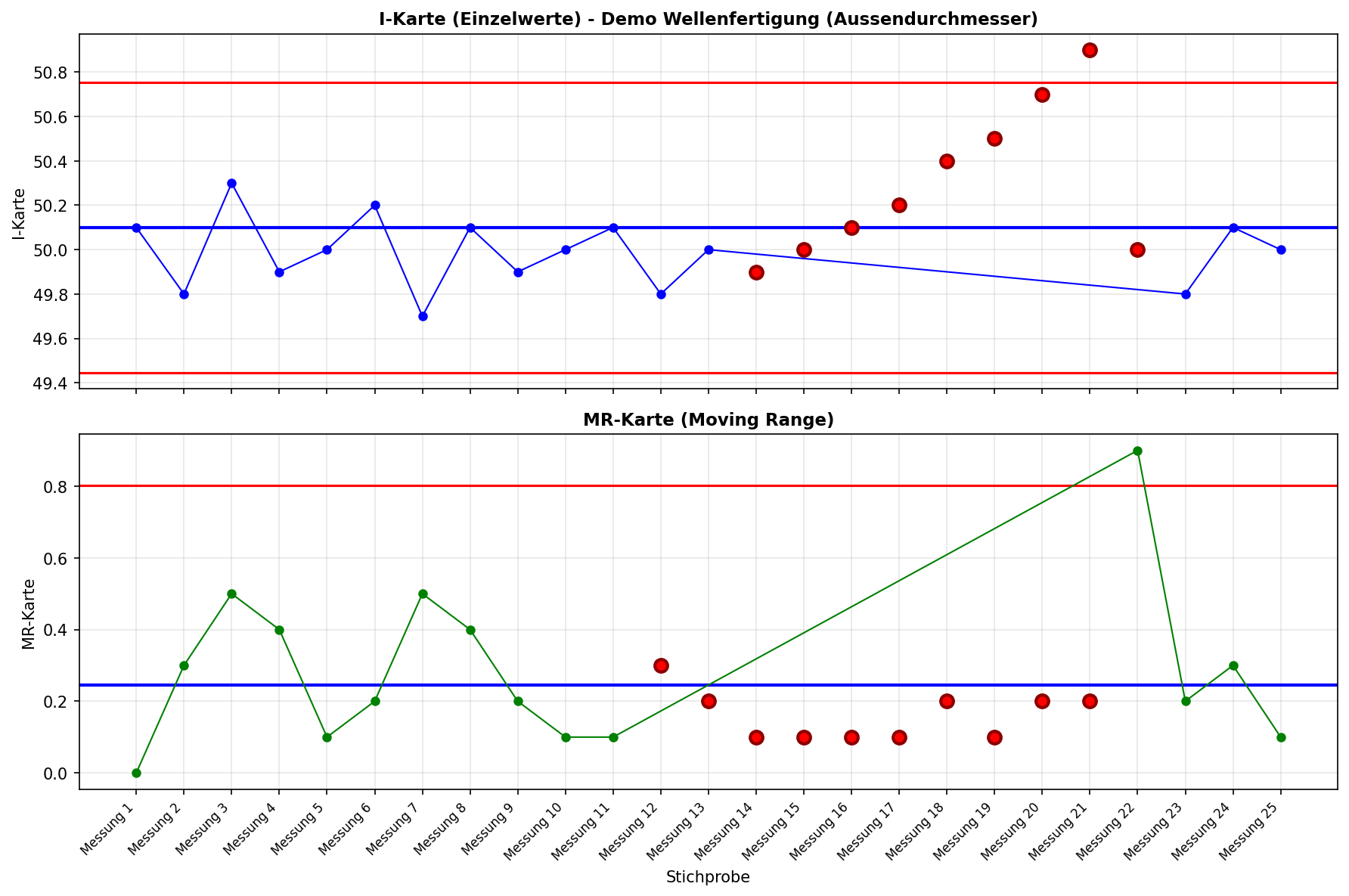
- Color-coded identification of violations in the control chart (red = violation)
Response to Violations
When a violation rule is triggered, proceed as follows:
- Verify: Check whether the violation is due to a measurement error
- Identify: Search for the special cause (5-Why, Ishikawa diagram)
- Correct: Eliminate the cause and document the action
- Monitor: Observe whether the process remains stable after correction
Warning: Do not respond to every single alarm with a process adjustment without identifying the cause. Unjustified interventions in a stable process (so-called overadjustment) lead to an increase in variation and worsen process quality.
Example of a Rule Violation
The following table shows an example of how violation rules work in practice:
| Subgroup | x̄-Value | Zone | Violation |
|---|---|---|---|
| 15 | 10.02 | C | - |
| 16 | 10.03 | C | - |
| 17 | 10.05 | B | - |
| 18 | 10.04 | B | - |
| 19 | 10.06 | B | - |
| 20 | 10.08 | A | - |
| 21 | 10.07 | A | Rule 3: 4 of 5 points in Zone B or beyond |
| 22 | 10.11 | > UCL | Rule 1: Point outside 3σ |
Info: In this example, Rule 3 would have given a warning signal at subgroup 21 before the point at subgroup 22 exceeded the control limits. Early detection is the great advantage of combined rule application.