
Data Generator
Overview
The Data Generator in my8data enables the creation of synthetic test data for training, demonstration, and testing purposes. Instead of having to use real measurement data, you can use the data generator to deliberately create datasets with specific statistical properties.
Areas of Application
| Area of Application | Description |
|---|---|
| Training and Education | Create practice data with known properties to train the interpretation of MFU, SPC, and process capability |
| Demonstration | Show customers or colleagues the functionality of my8data with realistic but anonymized data |
| Module Testing | Verify the correct function of analysis modules with data whose expected results are known |
| Method Comparison | Compare different statistical procedures using identical datasets |
| Sensitivity Analysis | Investigate how changes to parameters (e.g., variation, mean) affect process capability indices |
Info: The generated data is created using a random number generator and is suitable for statistical analyses. It does not represent actual measurement values and should not be used for productive quality decisions.
Quick Start
Generate a test dataset in just a few steps:
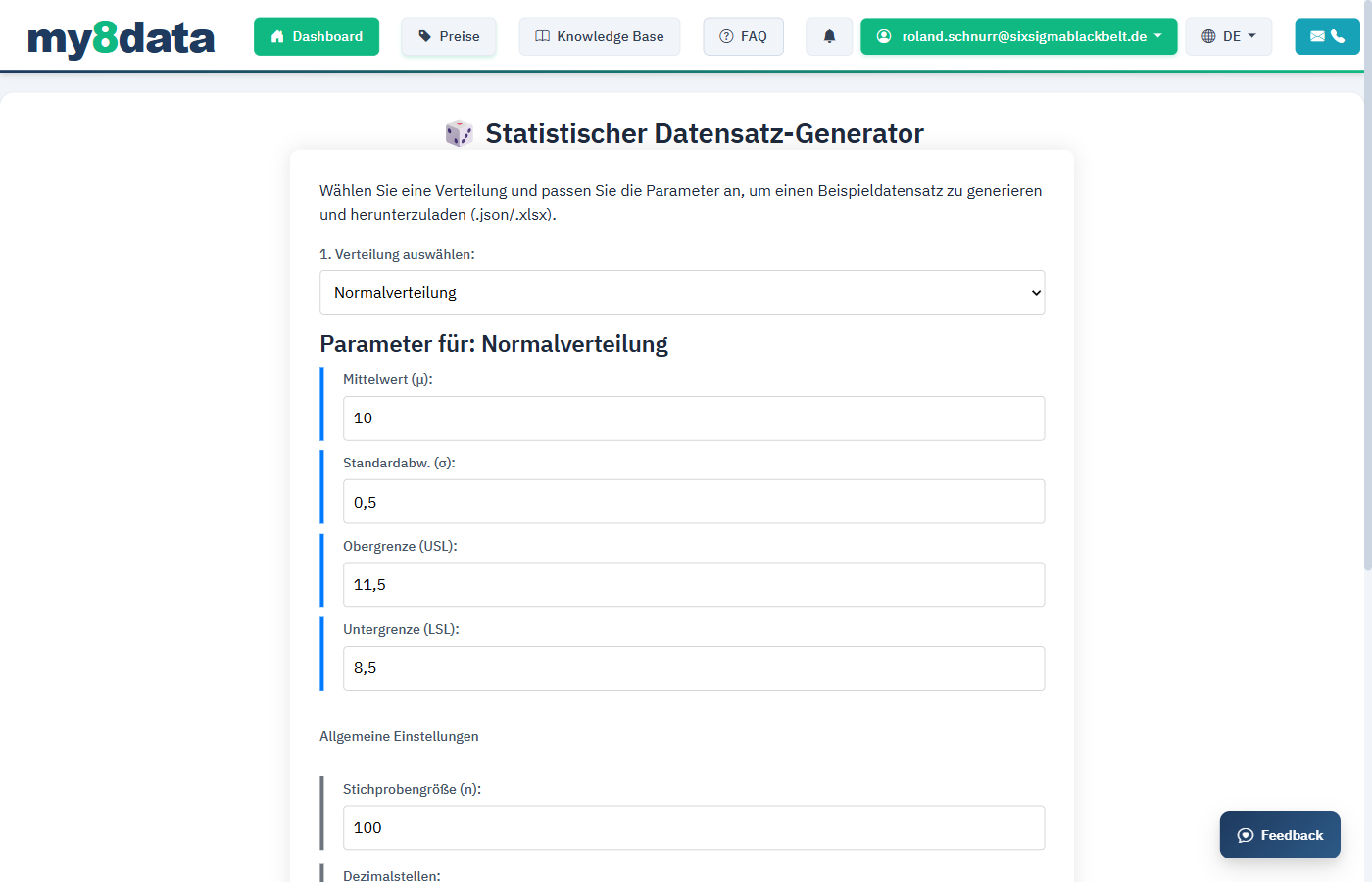
- Open the Data Generator from the main menu
- Select the desired distribution type (e.g., normal distribution)
- Set the parameters (mean, standard deviation, sample size)
- Click Generate
- Import the generated data directly into an analysis module or export it
Tip: To test the impact of different scenarios, generate multiple datasets with different parameters. For example, you can simulate a capable process (Cpk >= 1.67) and a non-capable process (Cpk < 1.00) and compare the results.
Parameters and Configuration
Distribution Types
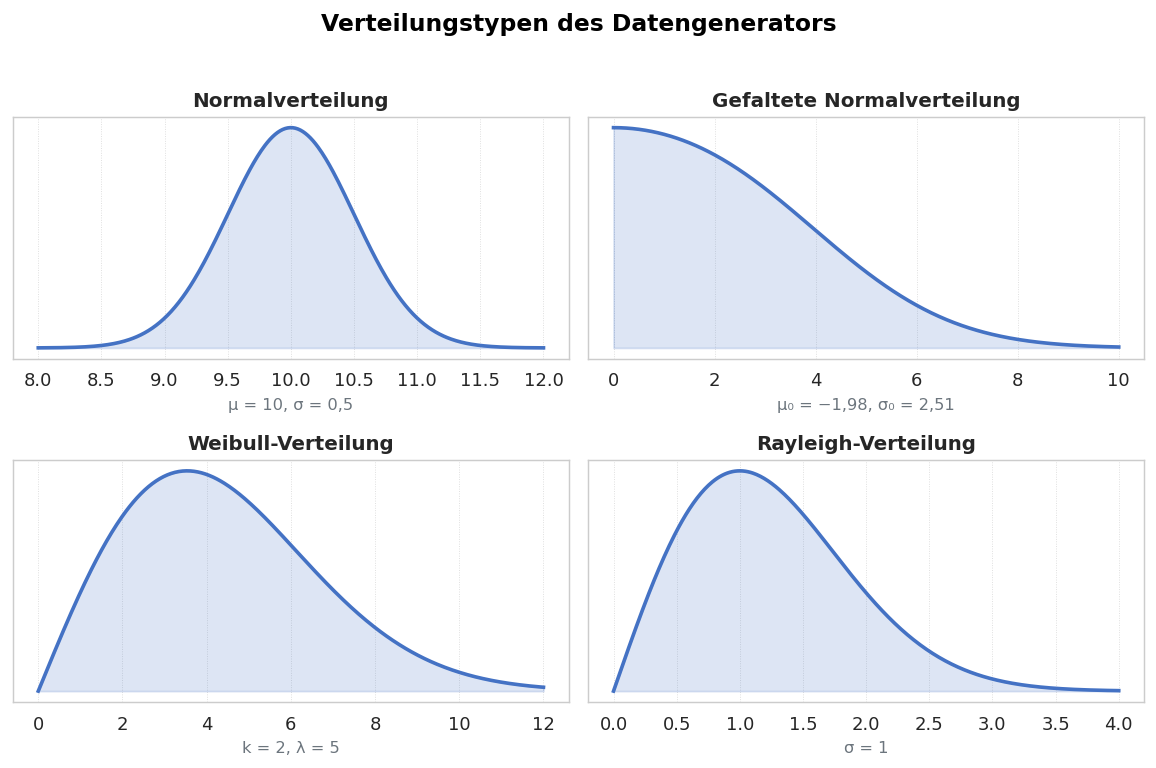
The data generator supports various distribution types to simulate different process situations:
| Distribution Type | Description | Typical Application |
|---|---|---|
| Normal Distribution | Symmetric bell shape; most common in practice | Standard case for most manufacturing processes |
| Uniform Distribution | All values in range equally probable | Simulation of a process without clear central tendency |
| Log-Normal Distribution | Right-skewed; only positive values | Surface roughness, particle sizes, failure times |
| Weibull Distribution | Flexible shape; can be skewed or symmetric | Lifetime analyses, reliability |
Configurable Parameters
Normal Distribution
| Parameter | Description | Example Value | Effect |
|---|---|---|---|
| Mean (μ) | Center of the distribution | 10.00 | Shifts the entire distribution left or right |
| Standard Deviation (σ) | Width of the distribution | 0.02 | Larger values create wider variation |
| Sample Size (n) | Number of values to generate | 100 | More values increase statistical significance |
Uniform Distribution
| Parameter | Description | Example Value |
|---|---|---|
| Minimum | Lower bound of the value range | 9.90 |
| Maximum | Upper bound of the value range | 10.10 |
| Sample Size (n) | Number of values to generate | 100 |
Log-Normal Distribution
| Parameter | Description | Example Value |
|---|---|---|
| μ (log) | Mean of the logarithmic characteristic | 2.30 |
| σ (log) | Standard deviation of the logarithmic characteristic | 0.10 |
| Sample Size (n) | Number of values to generate | 100 |
Weibull Distribution
| Parameter | Description | Example Value |
|---|---|---|
| Shape Parameter (k) | Determines the shape of the distribution | 3.5 |
| Scale Parameter (λ) | Characteristic lifetime / scaling | 10.00 |
| Sample Size (n) | Number of values to generate | 100 |
Info: In the Weibull distribution, a shape parameter k < 1 produces a declining distribution (early failures), k = 1 corresponds to an exponential distribution (random failures), and k > 3 results in an approximately bell-shaped distribution (fatigue failures).
Advanced Options
In addition to the basic parameters, you can make the following advanced settings:
| Option | Description | Default Value |
|---|---|---|
| Seed (Starting Value) | Starting value for the random number generator; enables reproducible results | Random |
| Decimal Places | Number of decimal places | 3 |
| Add Outliers | Deliberately add outliers to the dataset | Disabled |
| Number of Outliers | How many outliers should be inserted | 0 |
| Outlier Range | Range in which the outliers should lie | ±4σ to ±6σ |
Tip: Use the seed function when you need reproducible results. With the same seed and the same parameters, you will always get the identical dataset. This is particularly useful for training where all participants should work with the same data.
Practical Examples
Example 1: Simulate a Capable Process
Objective: Generate dataset with Cpk >= 1.67
| Parameter | Value | Justification |
|---|---|---|
| Distribution | Normal Distribution | Standard case |
| Mean | 10.000 | Centered on target value |
| Standard Deviation | 0.010 | Low variation |
| Sample Size | 100 | Sufficient for Ppk calculation |
| USL | 10.050 | Tolerance width = 0.100 mm |
| LSL | 9.950 |
Expected Result: Cp ≈ Cpk ≈ 1.67 (Tolerance width 0.100 / 6 * 0.010 = 1.67)
Example 2: Simulate a Decentered Process
Objective: Generate dataset with good Cp but poor Cpk
| Parameter | Value | Justification |
|---|---|---|
| Distribution | Normal Distribution | Standard case |
| Mean | 10.025 | Intentionally offset from target value |
| Standard Deviation | 0.010 | Same variation as Example 1 |
| Sample Size | 100 | |
| USL | 10.050 | |
| LSL | 9.950 |
Expected Result: Cp ≈ 1.67, but Cpk ≈ 0.83 (Process has narrow variation but is decentered)
Warning: Synthetically generated data follows the chosen distribution exactly. Real process data in practice often deviates from ideal distributions. Results achieved with generated data are therefore often "cleaner" than real analyses.